

Have you ever spent hours trying to figure out why your n8n workflows aren’t running properly? You’re not alone. From authentication failures to resource management issues, common errors can quickly derail your automation projects. When these problems arise, knowing how to identify and resolve them efficiently makes the difference between workflow success and frustration. Let’s examine five common n8n errors and their solutions.
Key Takeaways
- Authentication failures can be fixed by verifying credentials, testing with Postman, and storing API keys in environment variables.
- Database connection errors require checking credentials, testing with dedicated clients, and ensuring proper network settings.
- Workflow execution timeouts can be resolved by breaking workflows into smaller components and implementing modular design.
- Node configuration errors stem from mismatches in data formats and can be fixed using Debug nodes to inspect data structure.
- Rate limiting issues (429 errors) can be mitigated with retry mechanisms, request pacing, and dynamic rate checks.
Get expert help debugging your n8n workflows. I can help identify the root cause and implement permanent fixes

Authentication and API Credential Failures
When troubleshooting n8n workflows, authentication and API credential failures consistently rank among the most frustrating obstacles users encounter. Common issues include incorrect or expired API keys, insufficient permissions, and misconfigured authentication settings. Implementing workflow automation can significantly decrease the likelihood of such manual errors in the future.
For effective authentication troubleshooting, verify your credentials are active in the service dashboard and properly formatted according to API requirements. Some APIs expect credentials in headers while others require query parameters or bearer tokens. Debugging is critical as 401 error messages typically indicate authentication problems that must be resolved before workflows can continue.
Test requests with Postman to isolate the issue before implementing in n8n. Be aware of a known n8n bug where authorization headers aren’t correctly passed. You can work around this by manually specifying the Authorization header in HTTP Request nodes. This bug affects both Bearer and Custom authentication methods, often causing tokens to reset unexpectedly.
Proper credential management includes regularly rotating keys, using environment variables for sensitive information, and ensuring correct permission scopes to prevent silent failures.
Database Connection Errors and Troubleshooting
Despite being a foundational component of many n8n workflows, database connections frequently become a source of frustrating errors that can halt your automation processes entirely. Common issues include “Cannot connect to database” and “Connection refused” messages, typically stemming from incorrect connection strings or inaccessible servers.
When you encounter a connection timeout or “Error: timeout acquiring a connection” message, first verify your database is running and accessible. Check your .env file for accurate credentials and connection parameters. As part of optimizing workflows, test connectivity using a dedicated client like pgAdmin or MySQL Workbench to isolate the issue. Ensure that network settings aren’t blocking the connection through firewalls or IP restrictions. The “connect ETIMEDOUT” error commonly appears during the createConnection step when attempting to establish MySQL connections in n8n workflows.
For preventative measures, monitor connection pool usage, implement leak detection, and use environment variables for credentials. Regular database maintenance will help guarantee your workflows run smoothly without unexpected connection failures.
Workflow Execution Timeouts: Causes and Solutions
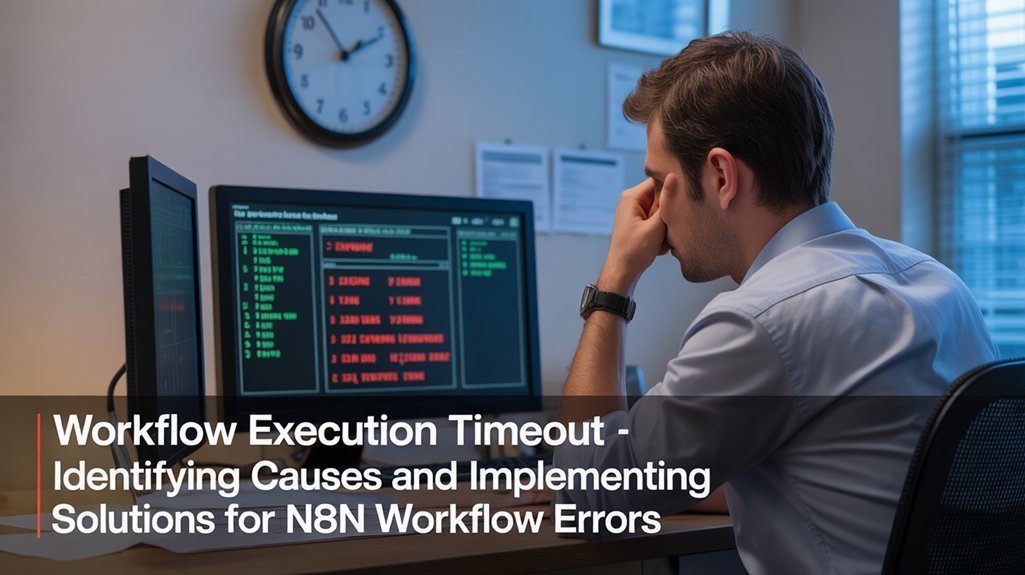
Workflow execution timeouts represent one of the most frustrating challenges in n8n automation, occurring whenever processes exceed the default 60-second time limit. You’ll encounter these errors with heavy API calls, large datasets, and slow external services. The proper breaking down workflows into smaller components helps mitigate timeout issues by reducing individual execution times. Users experiencing 504 Gateway errors frequently discover that even with Nginx timeout adjustments, requests exceeding the threshold may hang indefinitely.
| Timeout Strategies | Implementation Approach |
|---|---|
| Modular Design | Split workflows using Execute Workflow nodes |
| Pagination | Process data in smaller batches |
| Custom Timeouts | Adjust EXECUTIONS_TIMEOUT environment variable |
| Async Processing | Implement queues for background execution |
| Request Limiting | Add Wait nodes between API calls |
I’ll redesign your architecture for reliability—breaking complex workflows into efficient, modular components that actually finish.
Performance monitoring through execution logs helps identify bottleneck nodes consuming excessive time. Check which operations take longest and restructure your workflows accordingly. For self-hosted installations, you can increase timeout thresholds in configuration files and Nginx settings for mission-critical processes requiring extended runtime.
Node Configuration and Data Format Mismatches
Node configuration and data format mismatches account for over 60% of failed workflows in n8n, creating deceptively simple yet difficult-to-diagnose issues. These problems typically stem from inconsistencies between what nodes expect and what they receive.
Data mismatches: the silent workflow killers hiding in plain sight between your nodes.
To prevent these common errors in your workflows:
- Verify node settings thoroughly, paying special attention to required fields and operation modes
- Implement format validation before data reaches critical nodes
- Use the Debug node between steps to inspect data structure and identify mismatches
- Check for type inconsistencies (strings vs. numbers) and structure differences (arrays vs. objects)
- Review credential configurations regularly to catch expired tokens or incorrect API keys
Let me audit your workflows and eliminate those silent killers hiding between your nodes. You’ll get a detailed report with specific fixes.
Understanding these patterns helps you build more resilient workflows. Properly configured webhook URLs with reverse proxy integration can significantly reduce errors when receiving external data.
When troubleshooting, always inspect the data flowing between nodes first—most errors stem from misaligned expectations rather than actual code issues.
Consider implementing a “Return all” toggle option for handling paginated responses from APIs to prevent data truncation errors in complex workflows.
Rate Limiting and Resource Management Issues
Rate limiting and resource management present critical challenges in n8n workflow design, often manifesting as mysterious failures or inconsistent performance.
When your workflows hit API throttling limits, they’ll return 429 errors that interrupt your automation chain.
Implement robust API throttling strategies by enabling “Retry On Fail” with appropriate wait times, or combine “Loop Over Items” with “Wait” nodes to control request pacing.
For user-specific limits, track activity counts in Redis or Postgres, identifying users through headers rather than IP addresses. The Token Bucket Algorithm provides an effective method for implementing fair usage policies across your systems.
Apply request pacing solutions by utilizing built-in batching options or adding conditional pause logic.
For long-running workflows, implement dynamic rate checks before execution to prevent overload.
Consider combining server-level and workflow-level limits for thorough protection against resource exhaustion and unexpected costs.
Upstash Redis provides a straightforward rate-limiting system that integrates seamlessly with n8n for effective API abuse prevention.
Frequently Asked Questions
How Do I Migrate Workflows Between N8N Instances?
You can migrate workflows through CLI commands, API-based automation, or Docker volume backup. Use workflow export/import functions and guarantee proper instance configuration on the destination environment.
Can N8N Connect to Local Files or Network Shares?
Yes, n8n can access local files through the Local File Trigger node and connect to network shares via file operation nodes, though proper permissions and network share configuration are necessary for successful integration.
Why Does My Webhook Node Stop Working After Server Restart?
First failing, then flailing—your webhook issues after server restarts occur because N8N deregisters webhooks during shutdown. Set N8N_SKIP_WEBHOOK_DEREGISTRATION_SHUTDOWN=”true” to prevent this automatic deregistration cycle.
How Do I Implement Role-Based Access Control for Workflows?
You’ll need a paid n8n plan to implement RBAC. Define role definitions (Admin, Editor, Viewer) for user permissions across projects, controlling workflow security through appropriate access levels for each team member.
Can N8N Execute Workflows on a Specific Schedule or Timezone?
Time waits for no one, but you can control it with n8n! You can execute Scheduled Workflows using Interval, Cron, or Schedule Trigger nodes, all respecting your configured Timezone Settings in UTC format.
Master These Common N8N Errors!
By mastering these common n8n errors, you’re paving the way for smoother automation. Remember to verify credentials, monitor database connections, optimize workflow execution, double-check node configurations, and implement proper rate limiting. Like a mechanic diagnosing engine troubles, your systematic approach to troubleshooting will dramatically reduce downtime and enhance productivity. Regular maintenance and community engagement will further strengthen your n8n implementation’s reliability and performance.